Top 10 Free Invoicing Tools for Freelancers by Fazi Pro
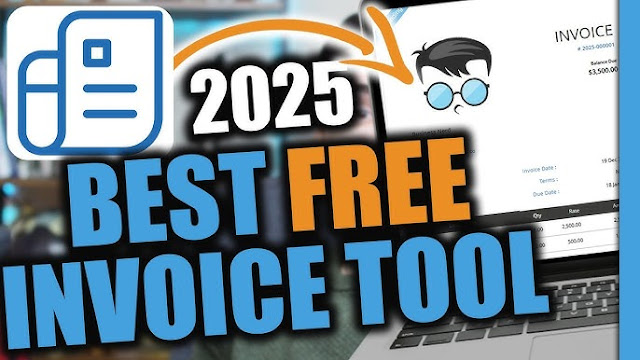
As a freelancer, managing invoices shouldn’t take more time than the work itself. Whether you’re a designer, developer, writer, or consultant, having a reliable (and free!) invoicing tool is crucial to getting paid on time and maintaining a professional image.
In 2025, there are plenty of free invoicing platforms that offer powerful features—without monthly fees. We’ve tested dozens of them and handpicked the 10 best free invoicing tools for freelancers based on features, ease of use, customization, and payment tracking.
🏆 Top 10 Free Invoicing Tools for Freelancers

1. Wave – Best Overall Free Invoicing Tool
Best For: Freelancers & small business owners
Key Features:
-
Unlimited invoices and clients
-
Customizable invoice templates
-
Accepts online payments (via Stripe or PayPal)
-
Expense and income tracking
Why It’s Great:
Wave offers the most complete set of features at no cost. It’s perfect for freelancers who want a professional invoicing system with built-in accounting tools.
✅ 100% free with no hidden charges
2. Zoho Invoice – Best for Automation
Best For: Time-based freelancers and recurring invoices
Key Features:
-
Time tracking & expense logging
-
Automated reminders and recurring invoices
-
Multi-currency and multilingual support
-
Client portal access
Why It’s Great:
Zoho Invoice is robust, especially for freelancers with international clients or long-term projects. The automation tools save hours of manual work.
✅ Completely free for all users in 2025
3. PayPal Invoicing – Best for Simplicity
Best For: Freelancers who already use PayPal
Key Features:
-
Professional invoice templates
-
Send via email or link
-
Clients can pay instantly with PayPal or card
-
Built-in tax and discount options
Why It’s Great:
It’s straightforward, fast, and highly trusted. Perfect for those who prioritize ease of payment over complex features.
✅ Free to use – PayPal fees apply on transactions
4. Invoice Ninja – Best for Open-Source Fans
Best For: Freelancers who want control and flexibility
Key Features:
-
Unlimited invoices and clients (free plan)
-
Time tracking, proposals, and recurring billing
-
Self-hosted open-source option
-
Integrates with 40+ payment gateways
Why It’s Great:
Ideal for tech-savvy freelancers or those who want a self-hosted solution without vendor lock-in.
✅ Free plan supports up to 20 clients
5. Invoicely – Best for Basic Business Needs
Best For: Freelancers with simple invoicing requirements
Key Features:
-
Simple dashboard with invoice tracking
-
Custom branding
-
Multi-currency and tax support
-
Mileage and expense tracking
Why It’s Great:
Great for freelancers starting out. While the free plan is limited, it covers the core features most need.
✅ Free for up to 1 user and unlimited invoices
6. AND.CO (by Fiverr) – Best for Freelancers with Contracts
Best For: Freelancers who need contracts and proposals with invoices
Key Features:
-
Built-in contracts and proposals
-
Smart invoicing with auto-reminders
-
Expense and time tracking
-
Payment integration
Why It’s Great:
All-in-one freelancer tool with sleek design. Perfect for service providers working on milestone-based projects.
✅ Free plan includes invoicing + contracts
7. Square Invoices – Best for Retail Freelancers
Best For: Freelancers who sell products or offer POS services
Key Features:
-
Invoicing + Point-of-sale (POS) integration
-
Recurring billing and estimates
-
Track payment status in real-time
-
No monthly fee
Why It’s Great:
Great for freelancers offering in-person services (photographers, coaches, consultants). Payment is smooth and reliable.
✅ Free to use – payment processing fees apply
8. Bonsai – Best for Freelance Creatives (Free Trial)
Best For: Designers, marketers, and consultants
Key Features:
-
Invoicing, proposals, and time tracking
-
Beautiful, branded invoice templates
-
Automated late fees and reminders
-
Financial reports
Why It’s Great:
Though not 100% free forever, Bonsai offers a generous free trial. The features are tailored to creative professionals.
✅ 7-day free trial – premium plans optional
9. Billdu – Best Mobile Invoicing App
Best For: On-the-go freelancers and mobile-first users
Key Features:
-
Mobile invoicing via app (iOS & Android)
-
Custom templates and logos
-
Delivery tracking and payment status
-
Client CRM built-in
Why It’s Great:
Great for freelancers who want to manage everything from their phone. The app is intuitive and stylish.
✅ Free plan with limited invoices/month
10. Harvest – Best for Time-Based Freelancers
Best For: Freelancers billing hourly
Key Features:
-
Time tracking + invoicing
-
Project and team tracking
-
Expense logging
-
Integration with Trello, Slack, and Asana
Why It’s Great:
Perfect for freelancers who work by the hour. Its clean interface makes time tracking and billing effortless.
✅ Free for 1 user and 2 active projects
✅ How to Choose the Right Free Invoicing Tool
Consider the following when picking your invoicing platform:
-
Do you need time tracking or just invoicing?
-
Are you billing international clients?
-
Do you want automation (reminders, recurring invoices)?
-
Do you need mobile access?
-
Are you planning to scale in the future?
Each tool has its strengths—pick based on what aligns with your freelancing workflow.
🔚 Final Thoughts
You don’t need to spend money to manage your freelance invoices like a pro. These free invoicing tools in 2025 offer everything from simple billing to powerful automations and integrations. Whether you’re just starting out or already managing multiple clients, there’s a tool here that fits your needs—without hurting your wallet.
💡 Pro Tip:
Use invoicing software with automatic reminders to reduce late payments by up to 40%.



Post Comment